Place-led vlog Shorts
AI Travel Vlog Generator
This AI travel vlog generator turns a place or a journey into a finished vertical Short, with travel scenes cut together and the sound of the street, the water, or the market left in the mix.
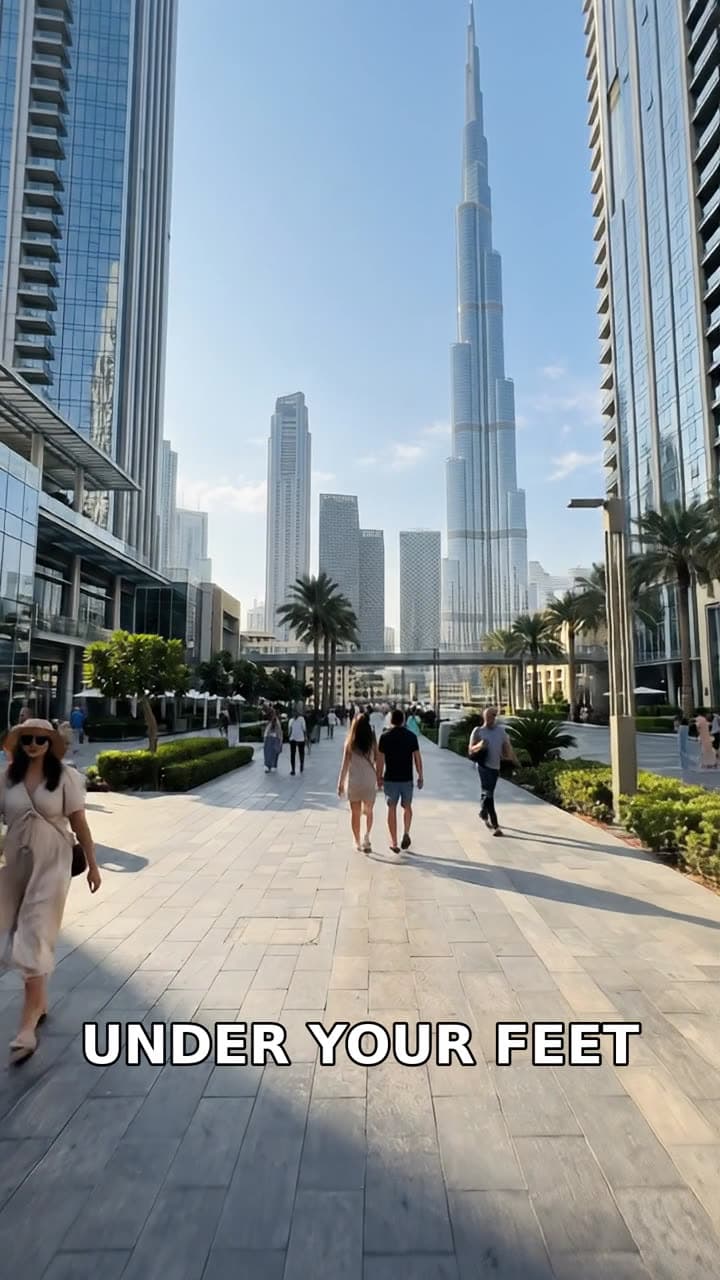
Typed idea
“first person pov walking down the streets of downtown dubai on a sunny morning”
Made with FacelessVideoMaker
Watch finished Shorts in these formats.
Open any format to watch the finished Short and read the idea it came from.
Motion is reduced. Scroll horizontally to browse the formats.
What an AI travel vlog generator makes
A travel vlog Short is about a place: where the viewer is, what it looks like, and what it sounds like on the way through. The Travel Vlog format is built for that job. It puts the place or the journey at the centre, shows it with wide establishing shots and closer scenes cut together, and keeps the sounds that make a street feel real.
You describe the route or the setting, and the format plans the shots, makes them, and joins them into one vertical video. Treat it as an AI vlog generator for places, so the result is a finished Short and not a folder of clips that still need a timeline.
Real Shorts from this format include a New York commute in 1903, a first-person walk toward a hidden bakery by following the smell of bread, a Golden Gate Bridge view from dawn to dusk, and a ride across the bridge on the upper deck of a bus. Each began as one description of a place and a way of moving through it.
Formats
Six journeys that suit an AI travel video generator
Place-led ideas work best when the route has a beginning, a few memorable stops, and somewhere to arrive.
A morning walk
A slow walk through a street or market at sunrise, with shop shutters opening and the first sounds of the day.
A landmark from dawn to dusk
One famous view seen as the light changes, which gives a short clip a natural beginning and a closing glow.
A ride across a city
A bus, a tram, or a ferry carries the viewer through a skyline with the engine and the crowd in the background.
A hidden find
A narrow alley leads to a small bakery or a quiet courtyard, and the viewer is the one who discovers it.
A city in another century
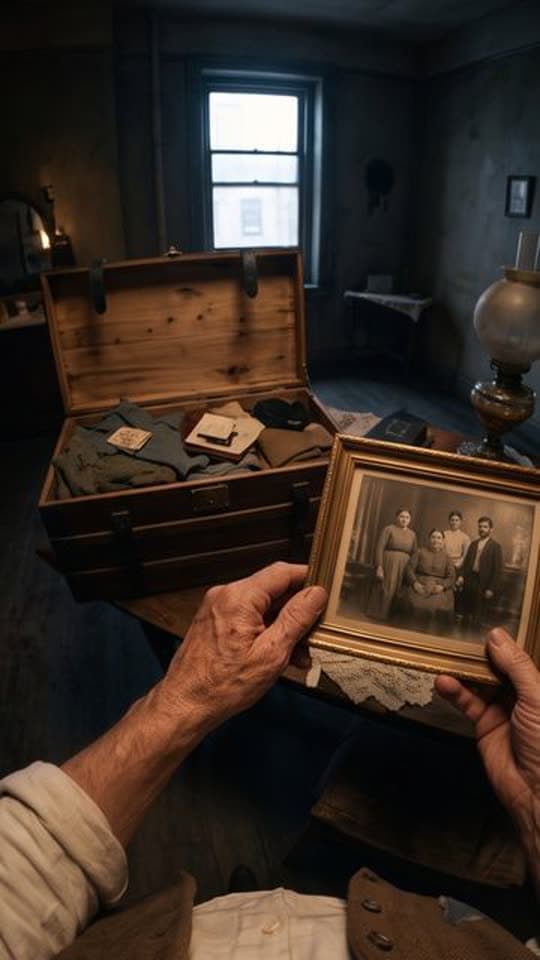
A familiar street shown as it might have looked long ago, with carts, crowds, and early machines in the frame.
A harbour or a market
Boats, stalls, and voices fill the scene, and the sound does as much work as the picture.
From a route to a finished travel Short
You describe the place, choose the sound, check the price, and the vlog-style Short is made.
- 01
Describe the place
Name the city, the time of day, and how you move, for example a first-person walk through Lisbon streets at golden hour.
- 02
Choose the sound
Natural sound is the usual pick for a place, and a narrator, a music bed, or silence are also on the menu.
- 03
Check the price
The price shows before anything is made, and credits return if the Short fails or is cancelled.
- 04
The finished Travel Vlog Short, with its title, description, and tags ready to edit.
Watch the journey
The finished vertical Short is waiting in Your Shorts, so you can review the route and post it when you choose.
Try it with your own idea
Describe the route so the places feel real
An AI travel video maker can only show what the description puts in front of the camera, so a few specific details help a lot.
- 01
Name the place and the hour
A city and a time of day, such as downtown at sunrise, tell the format what the light and the street should feel like.
- 02
Say how you are moving
Walking, riding a bus, or crossing a bridge changes the pace of the scenes, so choose one way to move.
- 03
List two or three stops
A few clear stops, such as a bridge, a market, and a viewpoint, give the clip a route without crowding it.
- 04
Mention a sound
A tram bell, gulls, or a crowd murmur gives the sound a texture to build around.
- 05
Pick one mood
Calm and golden, busy and bright, or gritty and old each change the look, and one mood keeps the clip consistent.
Travel Vlog, POV, or FPV Drone
All three move through a place, and they differ in how the viewer sees it.
| Topic | Travel Vlog | POV | FPV Drone |
|---|---|---|---|
| Viewpoint | Travel footage cut together. | Through the viewer's eyes, with hands in frame. | One continuous flight. |
| Pace | Several scenes along a route. | One moment lived closely. | A single sweeping route. |
| Best for | Streets, markets, and journeys. | History and high-stakes scenes. | Landmarks and wide scenery. |
Generated places, sound, and length
A generated place is an AI-made scene. It may not match a real street, building, or skyline in every detail, so it is not a record of a trip and should not be presented as footage you filmed. Check names and landmarks before you post, and say that the scenes are AI-generated.
Sound has a single control on the review step, and natural sound is the default for Travel Vlog, because the street is part of the story. You can switch to a narrator, a music bed, or silence. The menu offers only lengths the format can make, and every Short is a vertical 9:16 video.
For one moment lived from the inside, the AI POV video generator is the closer match, and food at a market stall is covered by the AI cooking video generator.
Start from an idea, with the format already picked
Each idea opens the composer with its format chosen, and you can change either before anything is made.
Formats that fit these ideas

Not quite what you need?
These pages cover the same tool for a narrower goal.
What to know before you create
What is an AI travel vlog generator?
Is this a travel vlog maker AI or an editor for my own clips?
Will the video match a real location?
Does a travel Short include sound?
Can I use it as an AI travel video maker for a city in the past?
How long can a travel Short be?
What does a travel Short cost?
Describe the route and take the trip
One description of a place is enough to start a travel Short. FacelessVideoMaker plans the scenes, keeps the sound of the street, shows the price first, and returns the finished clip to Your Shorts.