Guide 2 of 13
2 min read
Make your first Short
Go from a rough idea to a finished Short you can review and publish.
It takes four steps, and nothing is charged until the last one. Watch the whole flow first, then follow the steps below.
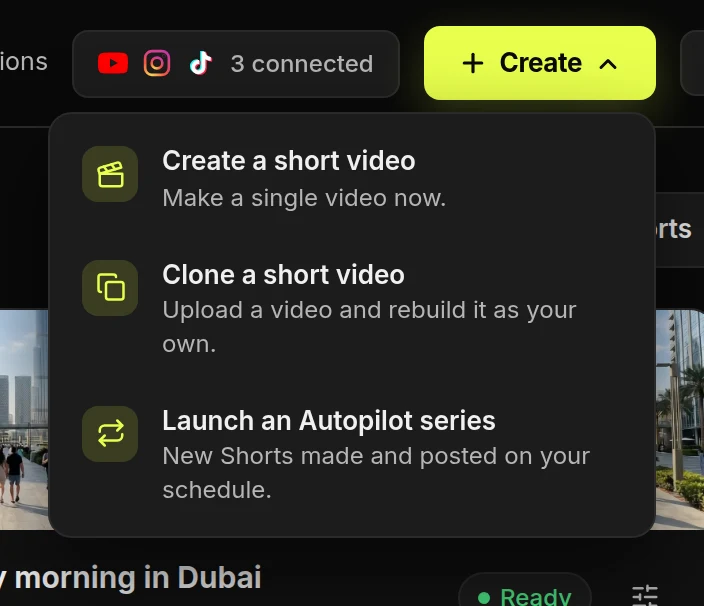
Start a new Short
- Press CreateIt is at the top right of every page.
- Choose Create a short videoThis opens step 1 of 4.
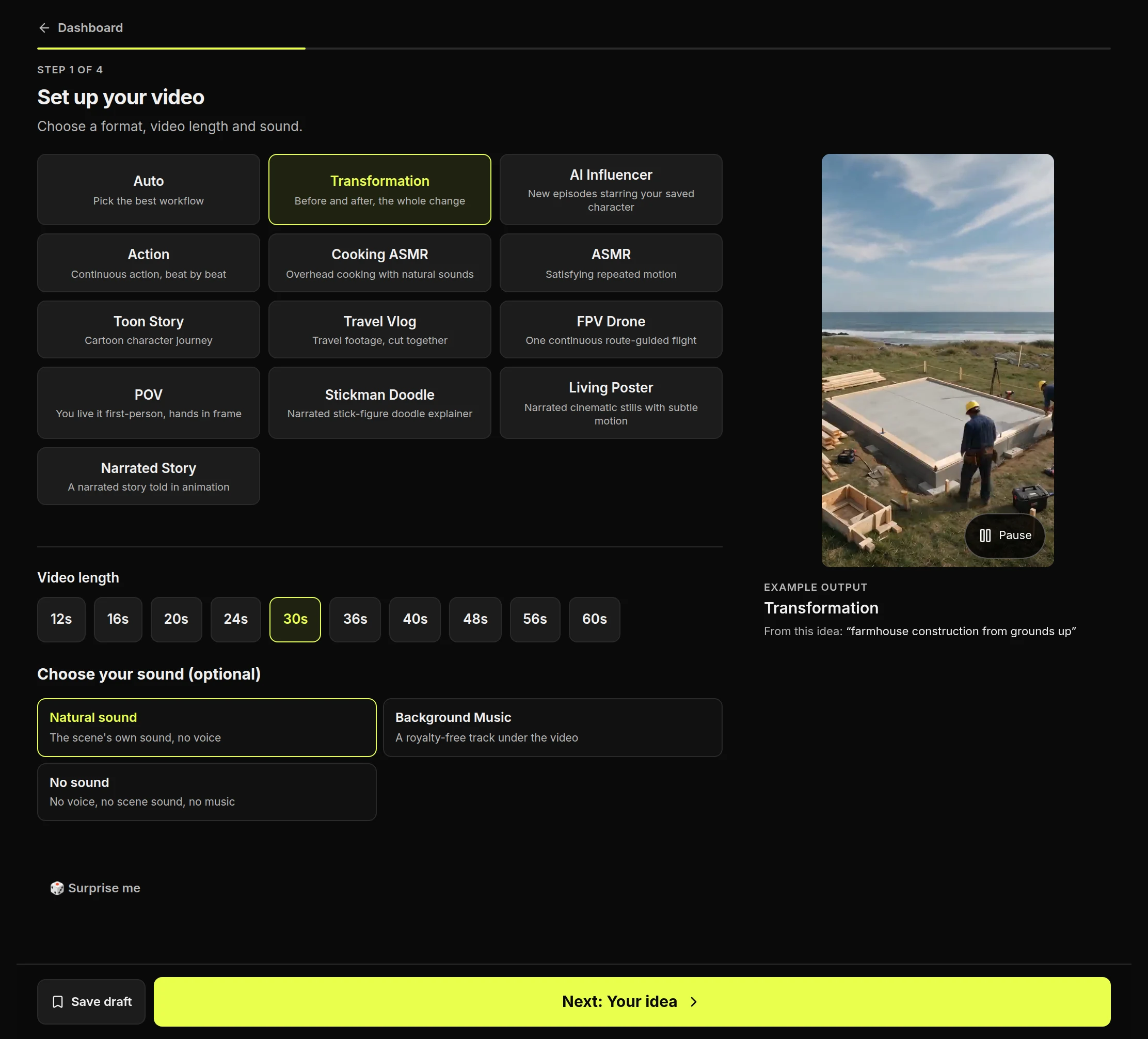
Set up your video
- Choose a formatThe example beside it is a real Short made with that format. Not sure? Choose Auto.
- Choose a lengthYou only see lengths this format can make.
- Choose a soundOptional. Each format starts on one that suits it.
- Press NextSave draft keeps your choices for later.
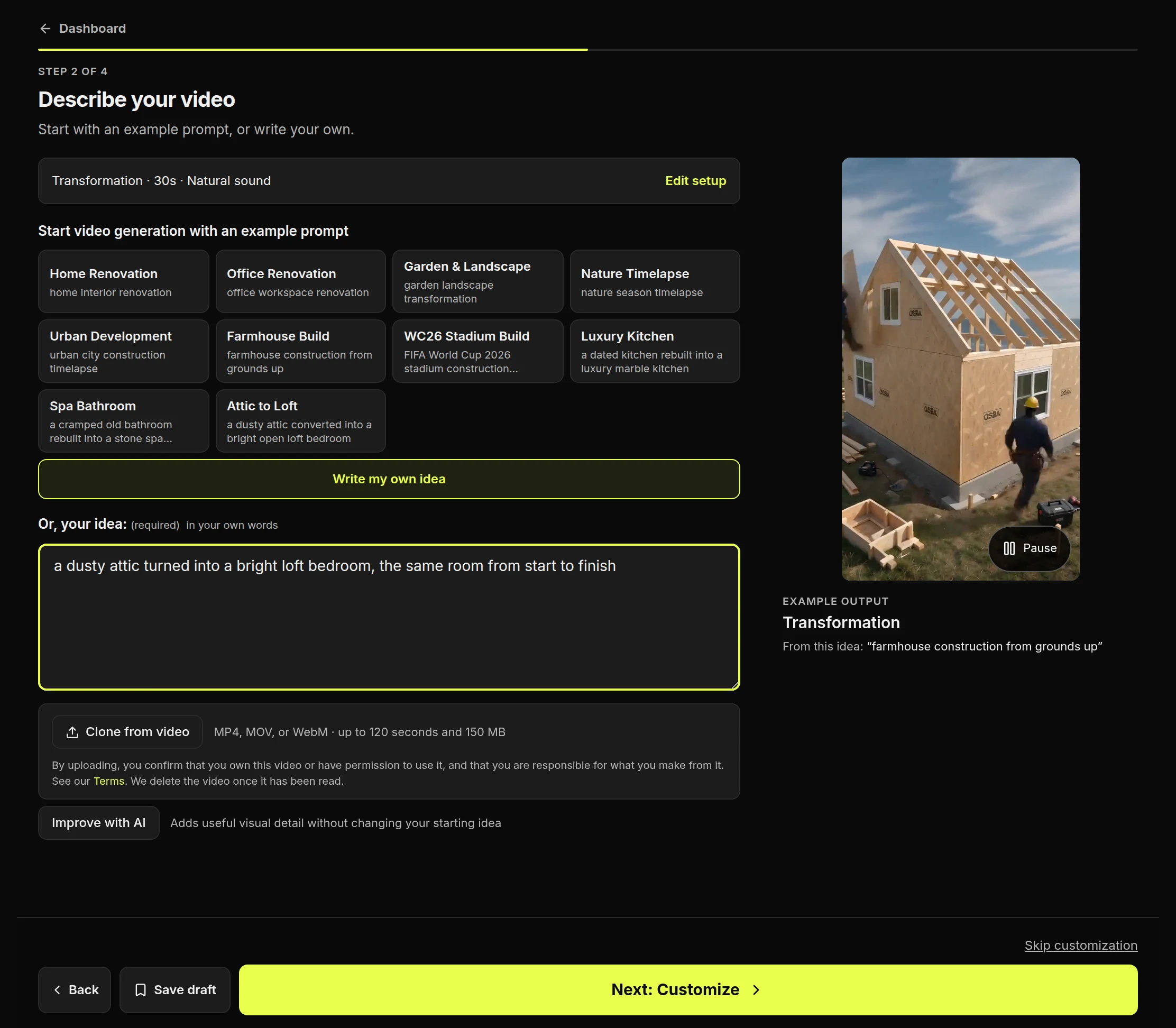
Describe your video
- Start from an example, or write your ownThe examples change with the format you chose.
- Describe one thing the viewer can watch“A blacksmith hammers a glowing horseshoe” works better than “blacksmithing”. Tips for writing it.
- Use Improve with AI, if you likeIt adds visual detail and keeps your idea.
- Press NextOr press Skip customization to go straight to the review.
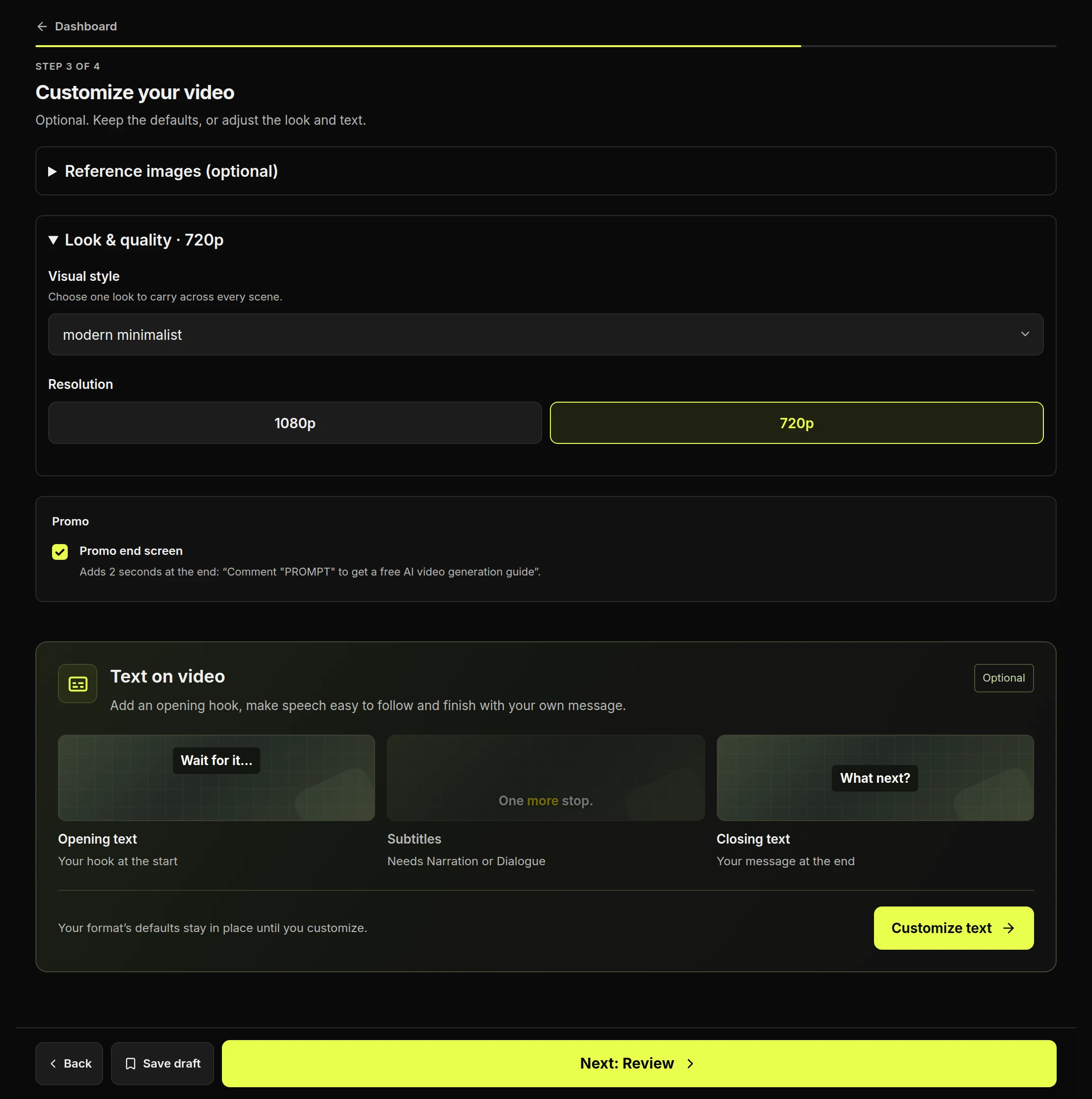
Customize your video
- Choose a visual styleOnly styles that suit the format are listed.
- Choose a resolutionIt can change the price.
- Press Next: ReviewEverything on this step is optional.
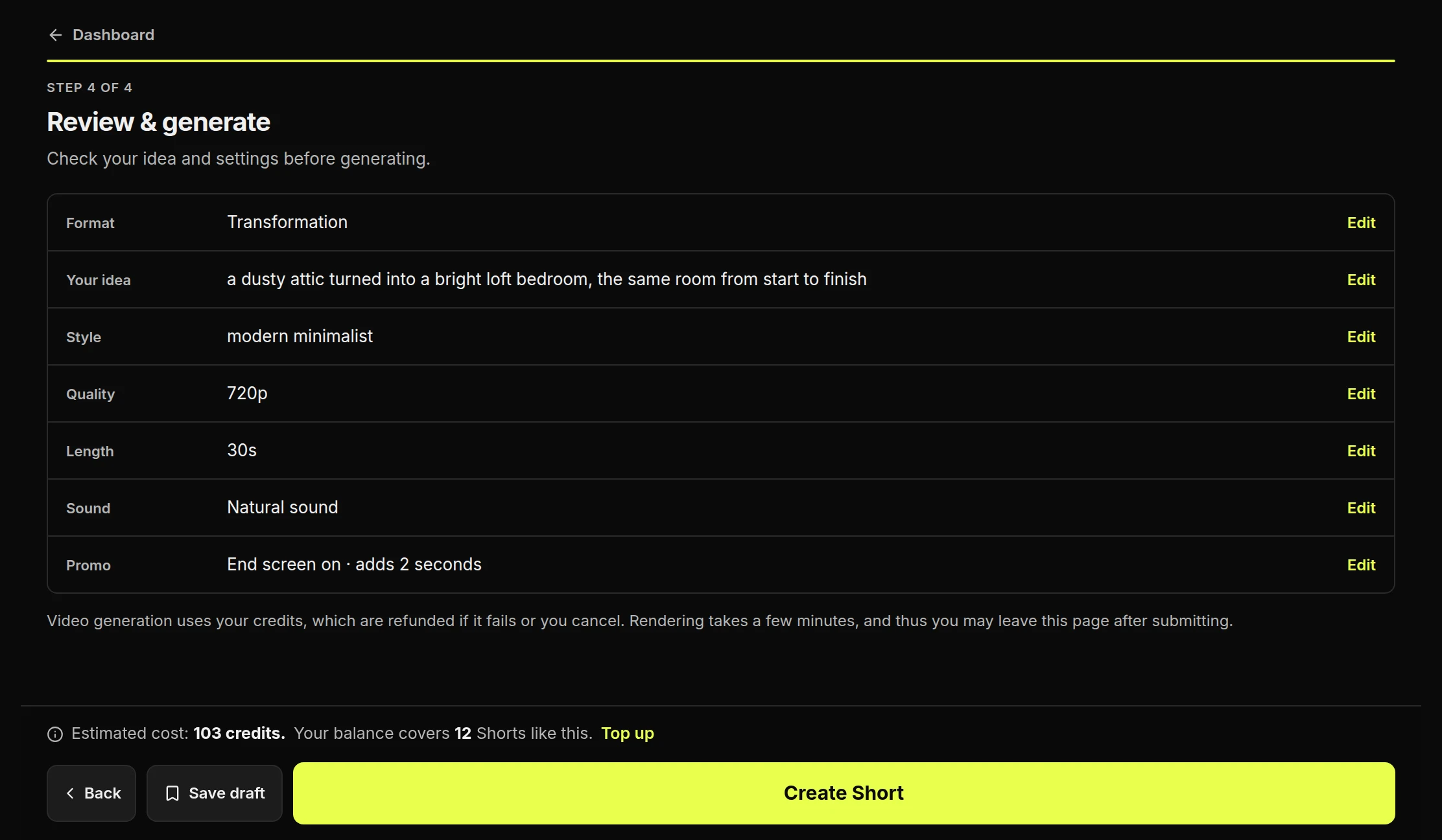
Review and create
- Check the summaryPress Edit on any row to change it.
- Check the estimated costThis is the exact price for these settings.
- Press Create ShortYour credits are used now. If the Short fails, you get them back.
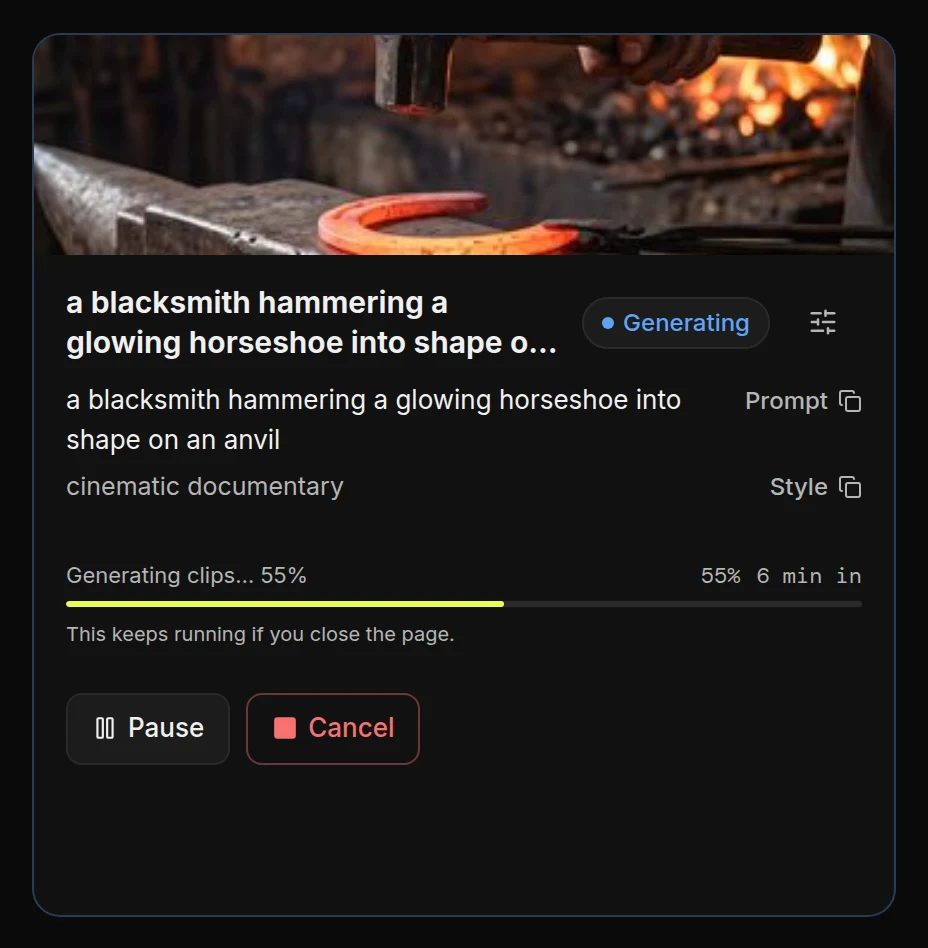
Wait while it is made
- Follow the progress barIt usually takes a few minutes. You can close the tab.
- Pause if you need toResume carries on at no extra cost.
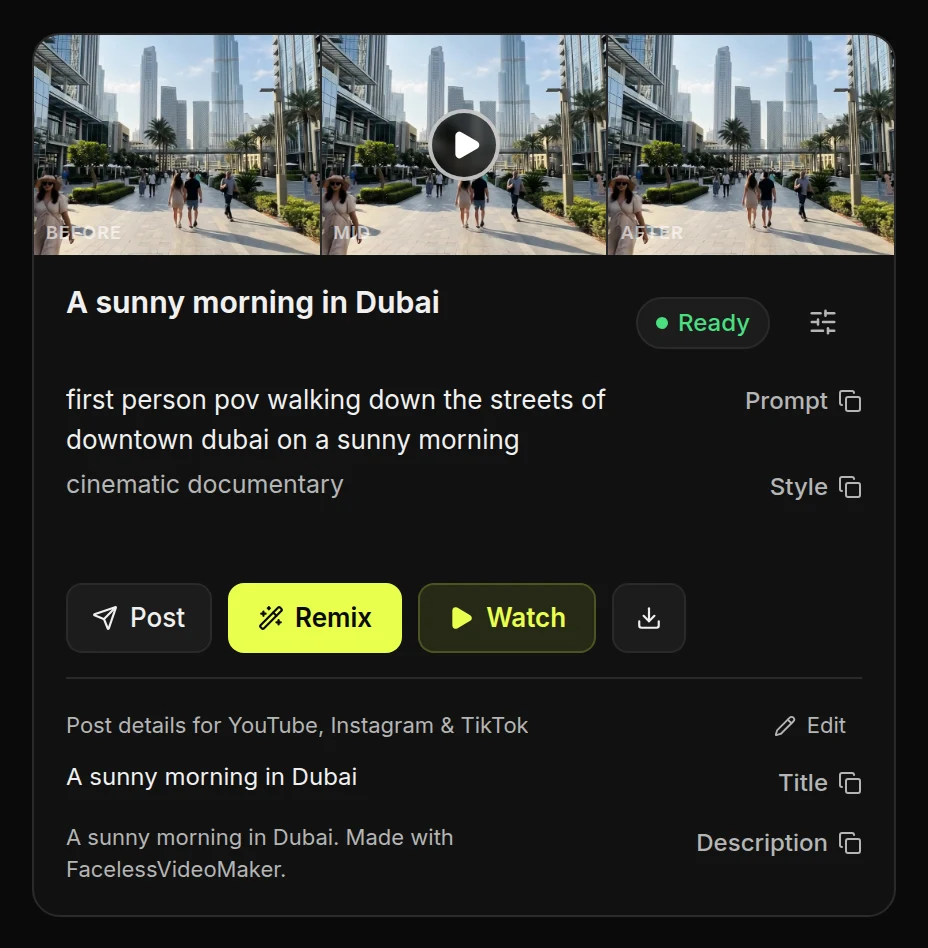
Watch and publish it
- Watch the whole ShortCheck the picture, any narration, the title and the description. AI can make mistakes.
- Press PostYou need a connected channel first. See how to connect one.