A channel without a camera
Build a faceless YouTube channel around one promise
A faceless YouTube channel works when every upload keeps one promise, and FacelessVideoMaker builds each of those Shorts from a line you type, then posts it to your channel.
No camera, no filming. Every Short above was made this way.
Faceless YouTube niches, each with a real Short
A niche is only as strong as the format behind it. Every niche below shows the Short and the typed line that made it.
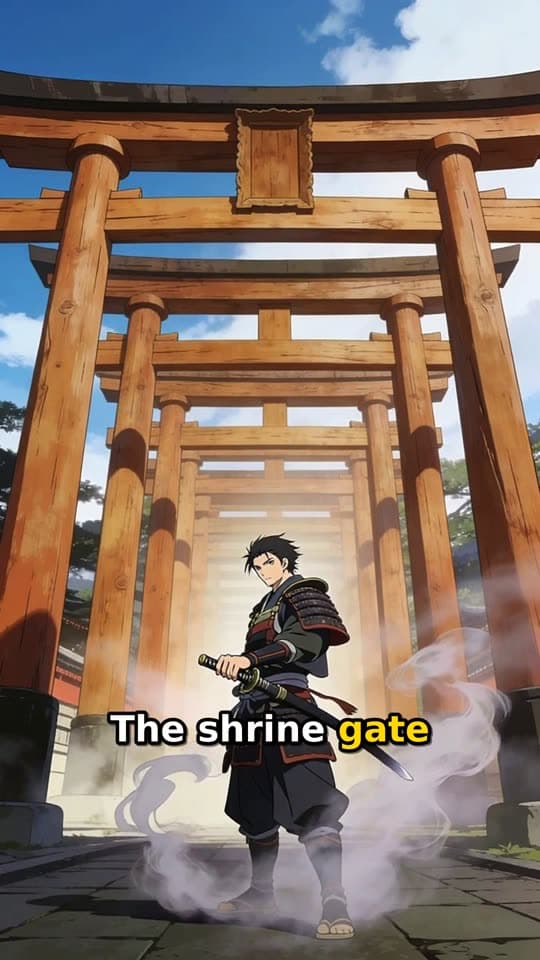
Legends and history
Narrated Story
An animated story told by a narrator, with captions that track the voice, for battles, myths, and last stands.
Typed idea
“a lone samurai's final duel at a misty mountain shrine at dawn”
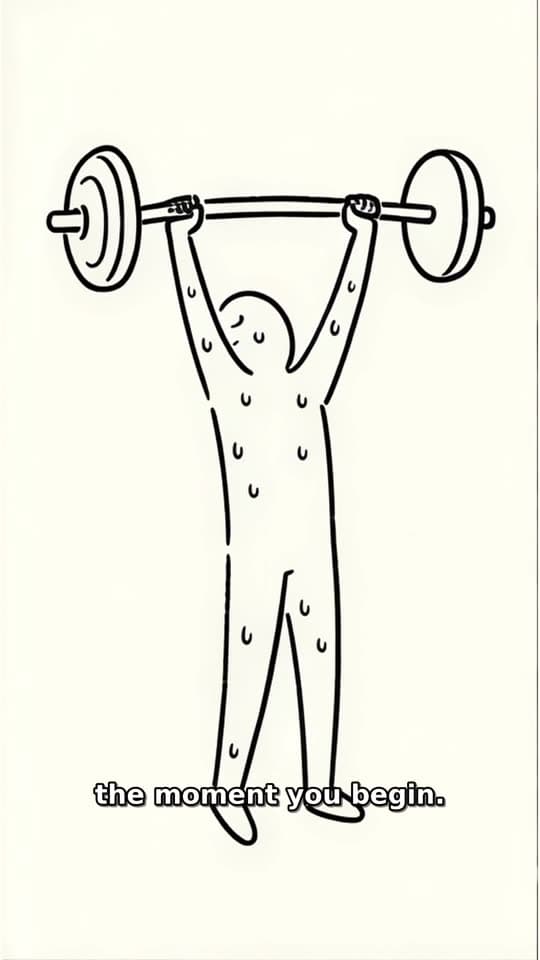
Health and science basics
Stickman Doodle
Drawn stick figures act out how the body or the world works while a narrator explains.
Typed idea
“what happens to your body the first week you start exercising”
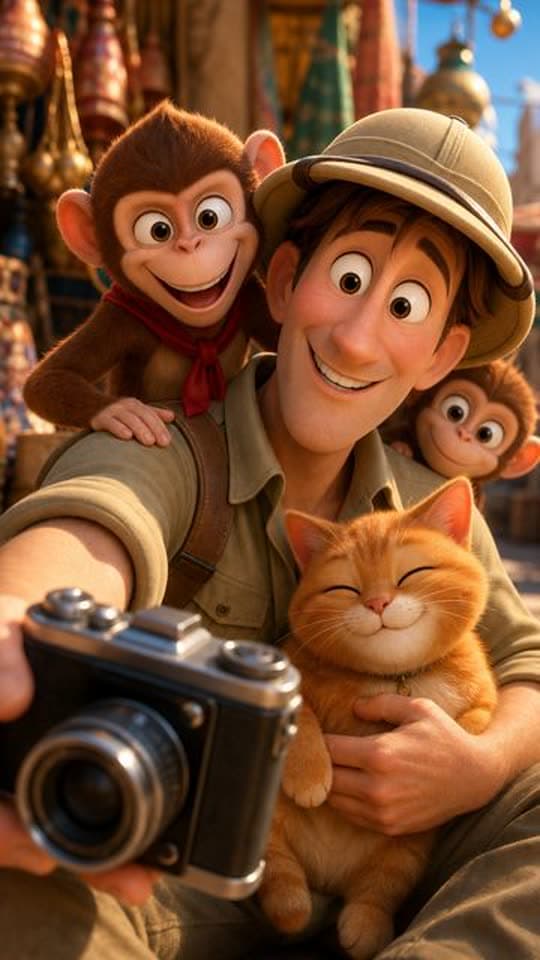
Comeback and training arcs
Toon Story
One character changes across the Short, from struggle to strength, with no host needed.
Typed idea
“A nervous explorer tries to photograph a majestic palace facade while a mischievous monkey team hijacks his camera gear. The explorer chases the thieves through bustling market alleys, only to find them using his lens to admire a local cat. Defeated but amused, he joins them for a selfie, turning a theft into an unexpected friendship amid colorful Indian architecture.”
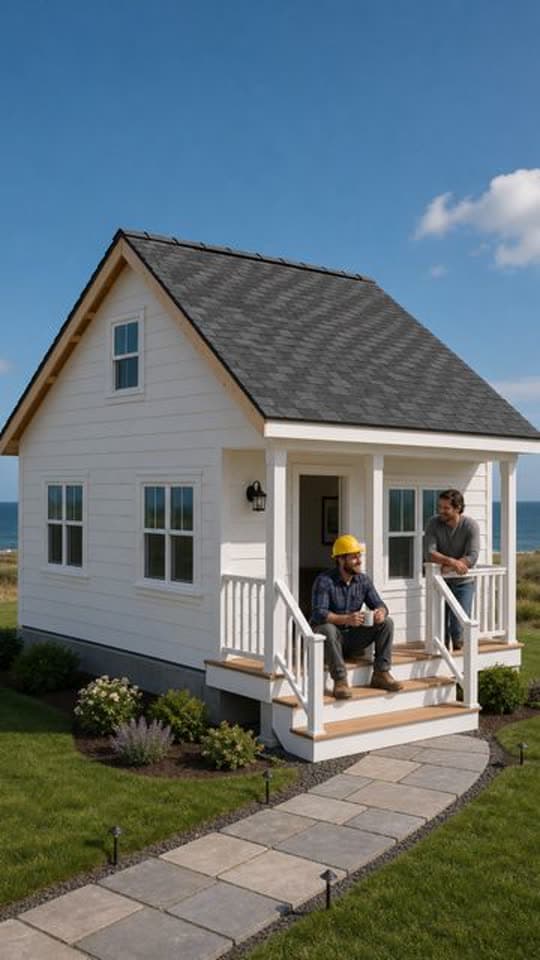
Builds and restorations
Transformation
A single fixed view follows a place from a rough start to a finished result.
Another Transformation Short made with FacelessVideoMaker passed 35M+ views on Instagram.
Typed idea
“farmhouse construction from grounds up”
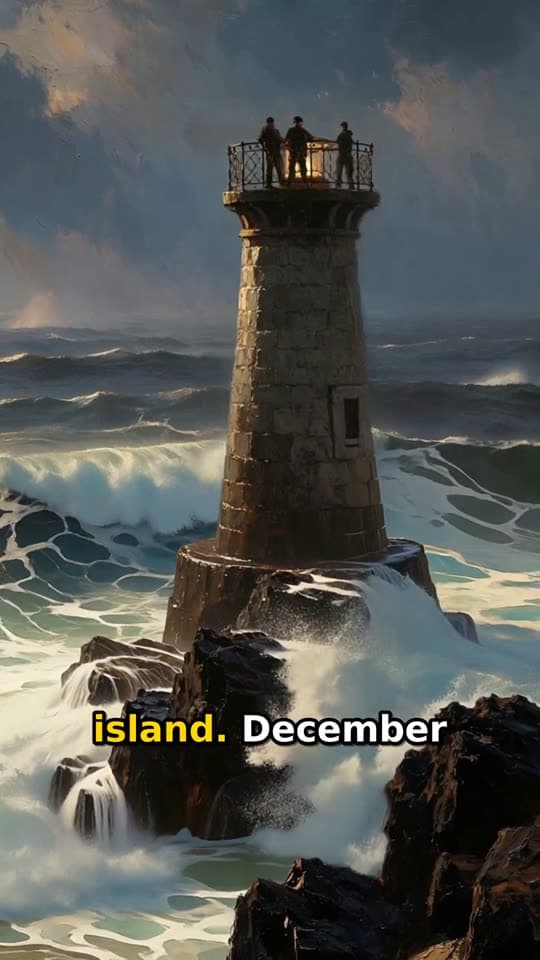
Unsolved mysteries
Living Poster
Painted scenes drift slowly while the narrator walks through a real case from the past.
Typed idea
“three lighthouse keepers who vanished from a locked island in 1900”
Cartoon sketches
Toon Story
Animated characters trade lines in quick scenes, which keeps a comedy channel moving.
Typed idea
“A nervous explorer tries to photograph a majestic palace facade while a mischievous monkey team hijacks his camera gear. The explorer chases the thieves through bustling market alleys, only to find them using his lens to admire a local cat. Defeated but amused, he joins them for a selfie, turning a theft into an unexpected friendship amid colorful Indian architecture.”
Set up the channel once with Autopilot
The setup shown here is an example series for a legends channel, filled in the way the series editor asks for it.
Example series setup
- Videos about
- Forgotten legends from around the world
- Leave out
- Modern politics and graphic violence
- Format
- Narrated Story
- Look
- Painterly animation
- Sound
- Narrator voiceover with captions
- Per day
- One Short
- Posts to
- YouTube
- Days
- 01
Name the promise
Write the theme as one line a viewer would subscribe to, such as forgotten legends told in under a minute.
- 02
List what to leave out
Add the topics the channel should never touch, so every planned idea stays on brand.
- 03
Hold one format, look, and sound
Keeping all three steady across the series is what makes each upload feel like the same channel.
- 04
Pick the days and approve ideas
Choose the weekdays, connect the YouTube channel, and approve or rewrite each planned idea before it is made.
One upload against a weekly lineup
A single Short answers one question. A lineup gives viewers a reason to return on days they can predict.
One typed idea becomes one finished Short.
One upload
- Starting point
- You type one idea.
- Look and sound
- Chosen for that one Short.
- Review
- You watch the finished Short.
- Posting
- You send it to the channel.
A new Short is ready on every day you pick.
A weekly lineup
- Starting point
- You set one theme and the topics to skip.
- Look and sound
- Held the same across every upload.
- Review
- You approve each planned idea first.
- Posting
- Each Short goes to the channel on its day.
Start from an idea, with the format already picked
Each idea opens the composer with its format chosen, and you can change either before anything is made.
Not quite what you need?
These pages cover the same tool for a narrower goal.
What to know before you create
Does a faceless YouTube channel need a host at all?
What do faceless YouTube videos from FacelessVideoMaker include?
Is faceless YouTube AI content labelled on YouTube?
Can it make regular long-form uploads too?
Do I approve every idea before it becomes a Short?
What does each upload cost?
Which niche should a brand new channel pick?
Can the same Shorts also go to Instagram and TikTok?
Where should I start if I have never posted?
Name the channel, post the first Short
A channel only exists once the first upload does. Bring the idea below and see what comes back before you plan the rest of the schedule around it.