Skip to content

1 min read

Start from a video you liked

See the description behind an existing Short, then use it as a starting point for your own idea.

Every Short on Explore shows the description behind it. Find one you like and make your own version.

Find a starting point

  1. Open ExploreIt is in the top bar. You can browse without an account.
  2. Filter by formatUseful when you already know the kind of Short you want.
  3. Watch one that fitsNotice the subject, the action and the setting in its description.
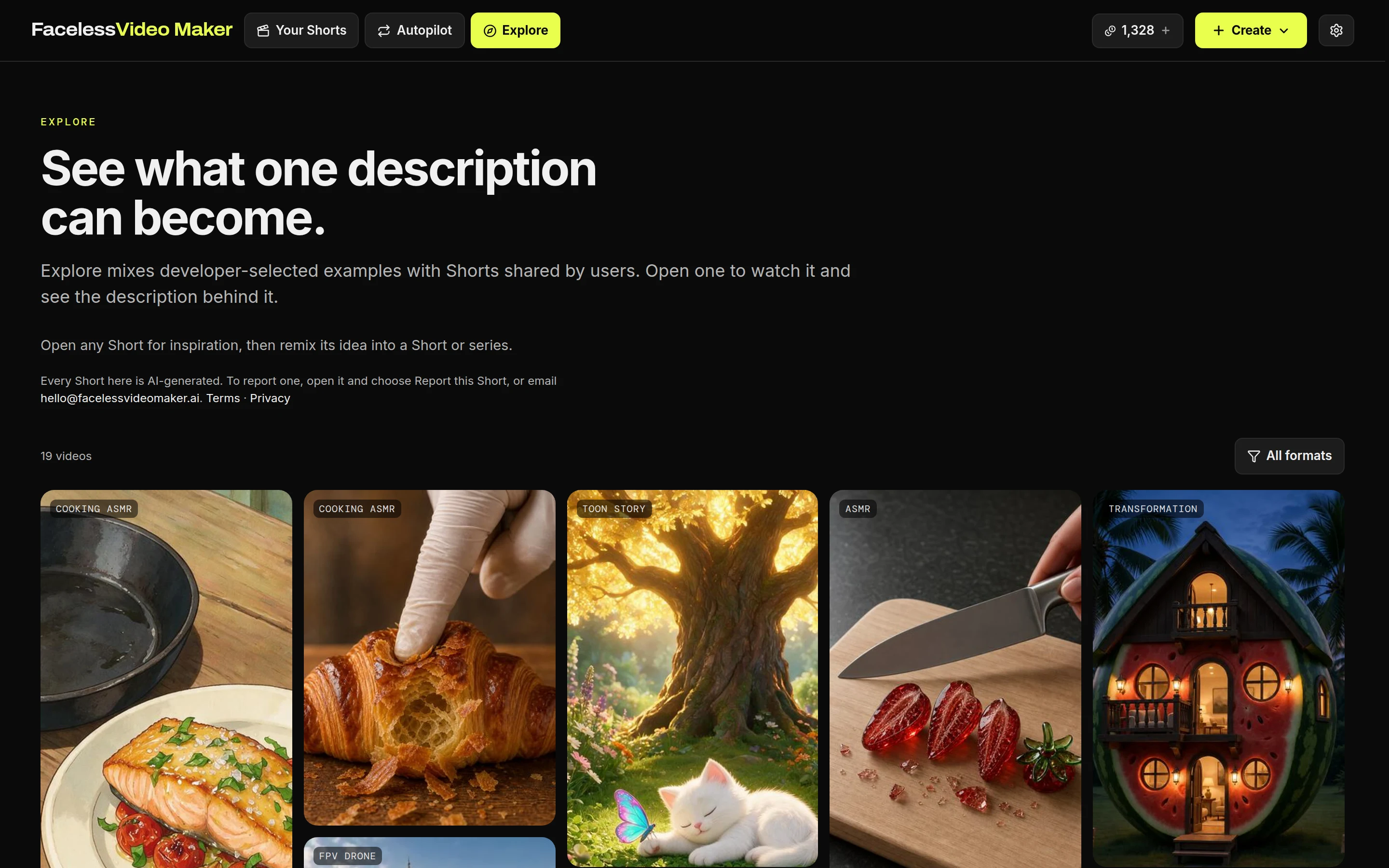
The Explore page: a grid of finished Shorts labelled by format, with the format filter at the topThe Explore page: a grid of finished Shorts labelled by format, with the format filter at the top

Make your own version

  • Create similar ShortOpens a new Short with the description, format and style filled in.
  • Start a seriesUses the idea as the theme for an Autopilot series.
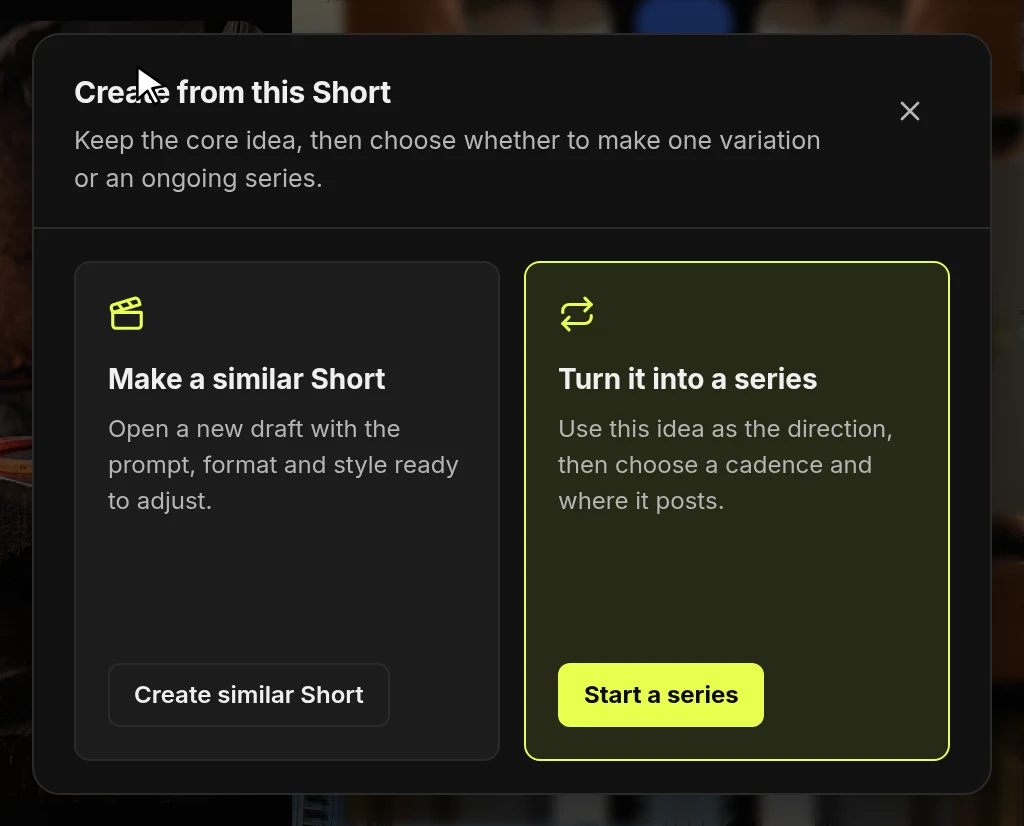
The Create from this Short dialog with two choices: Create similar Short and Start a seriesThe Create from this Short dialog with two choices: Create similar Short and Start a series
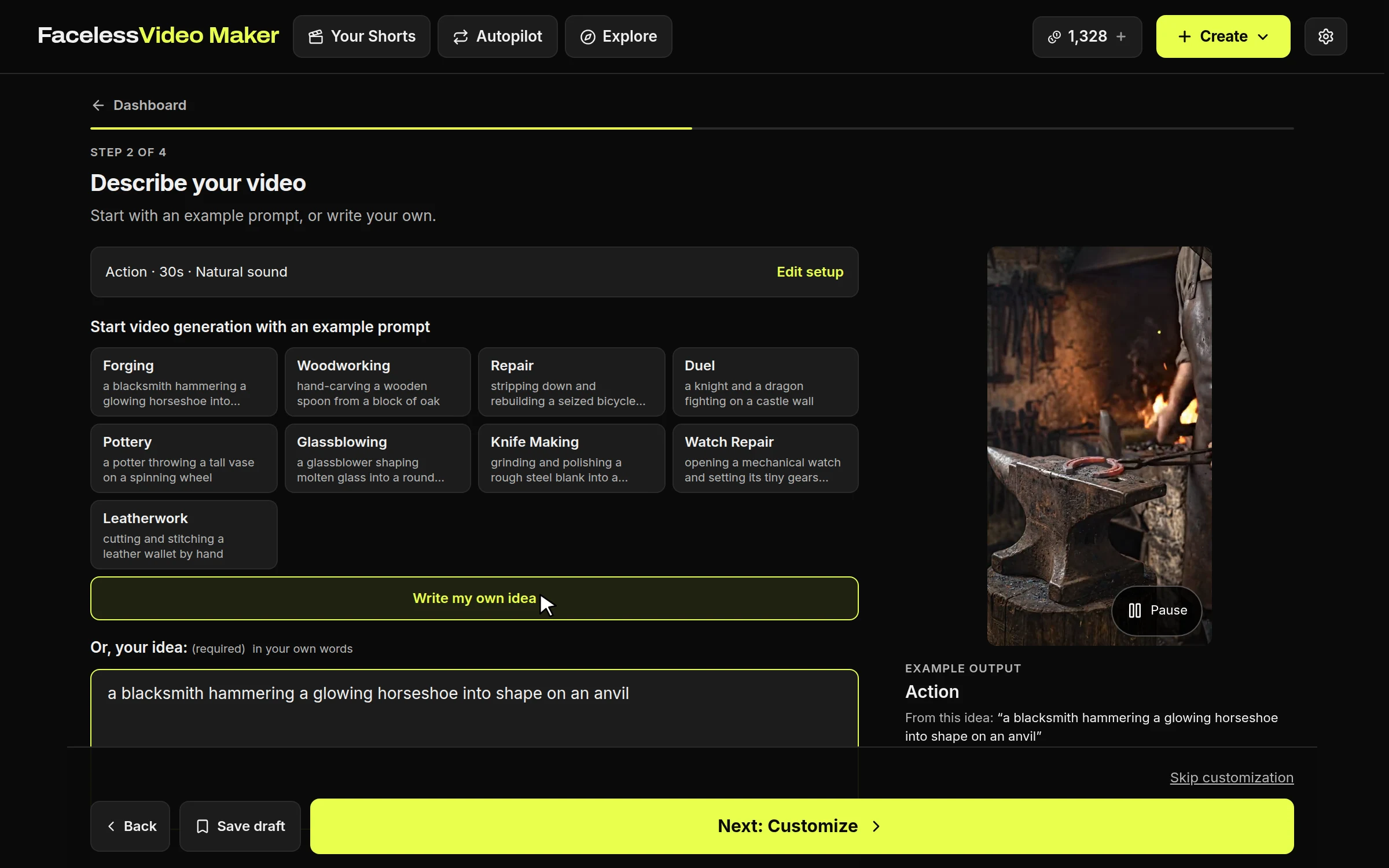
A new Short opened from Explore, with the example's description already in the Your idea boxA new Short opened from Explore, with the example's description already in the Your idea box
Change the subject or the place, and keep the structure that caught your eye.

Remix one of your own

  1. Press Remix on any finished ShortIt starts a new Short from the same settings.
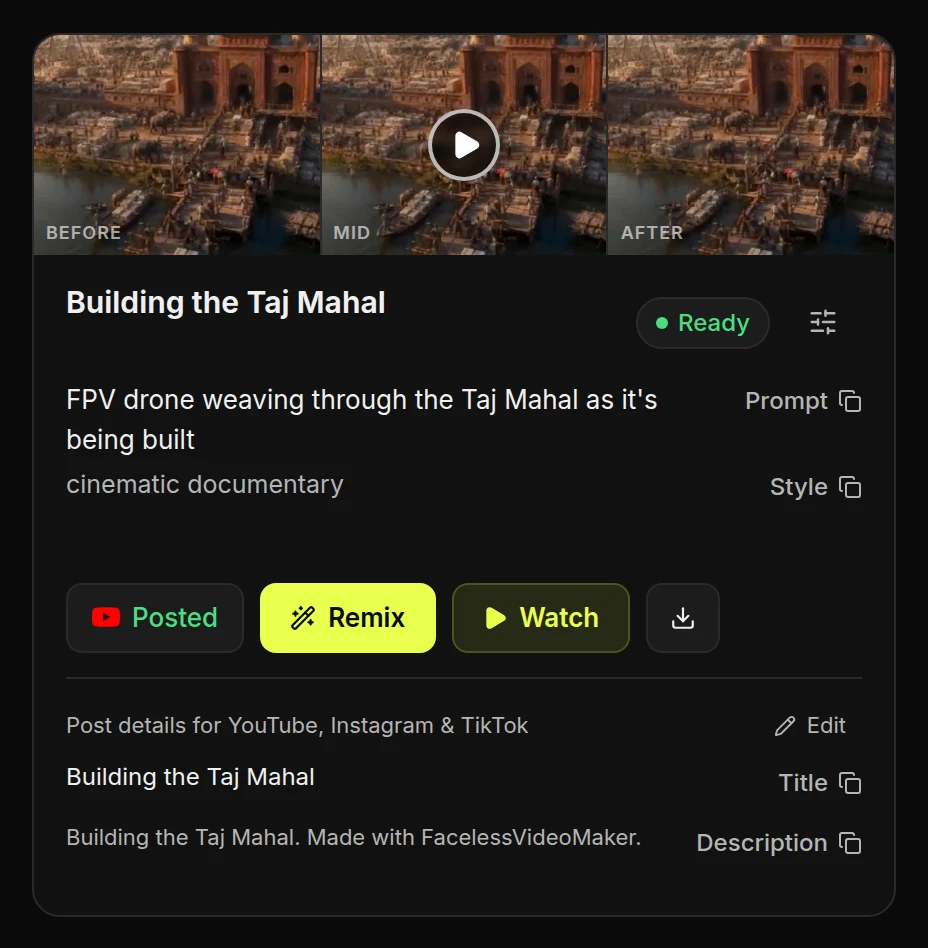
A finished Short card in Your Shorts with the Remix button markedA finished Short card in Your Shorts with the Remix button marked