Skip to content
Guide 10 of 13

2 min read

Create your first series

Choose a channel theme and schedule, then let FacelessVideoMaker plan and create each Short for you.

An Autopilot series comes up with an idea from your theme, makes the Short in time, and posts it to YouTube or Instagram on the days you choose.

Open Autopilot

  • New seriesStart a new series.
  • Your seriesOpen one to see its videos and upcoming ideas.
  • PauseStop posting for a while. Resume whenever you like.
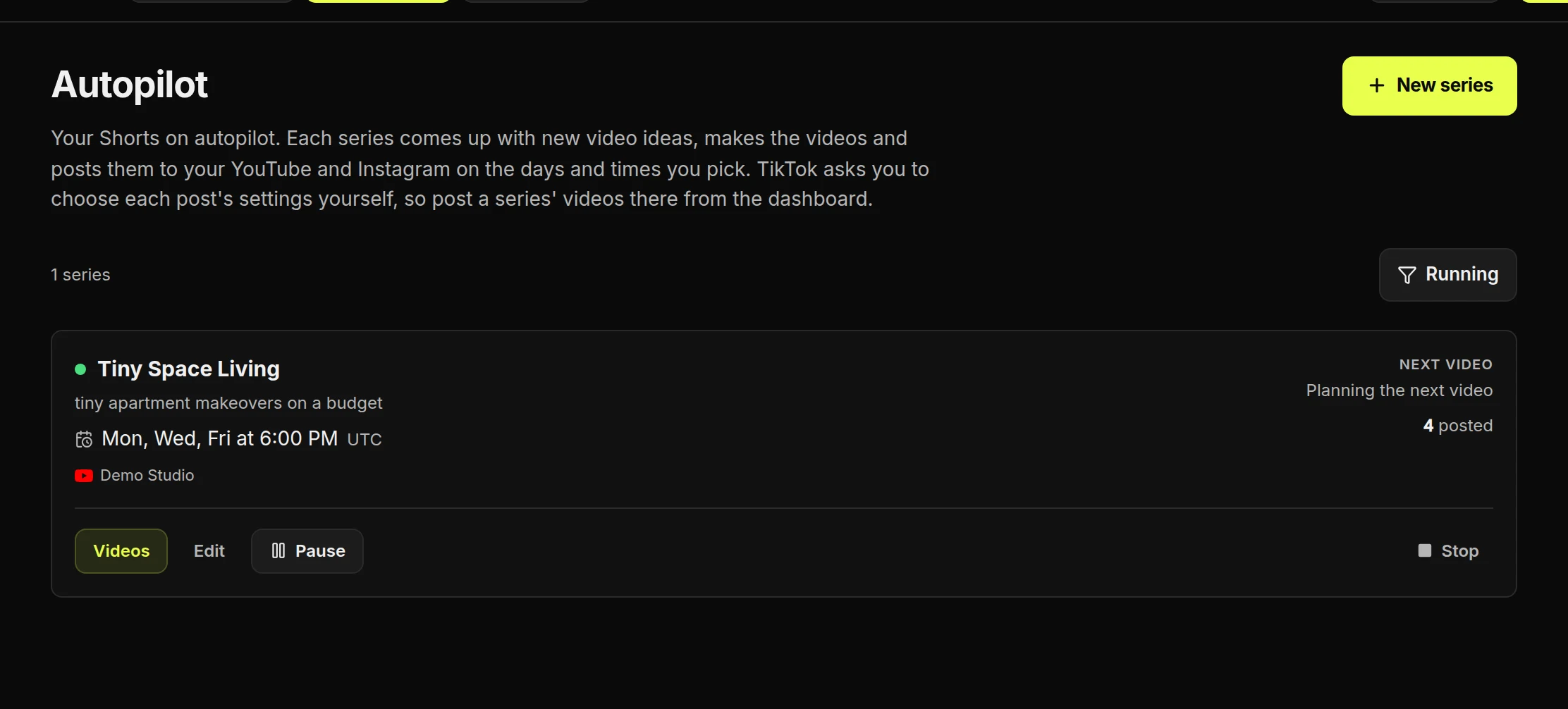
The Autopilot page with the New series button, the Tiny Space Living series and its Pause buttonThe Autopilot page with the New series button, the Tiny Space Living series and its Pause button

Create a series

  • A format to start fromIts direction, look and sound arrive filled in.
  • Start from scratchFill in every section yourself.
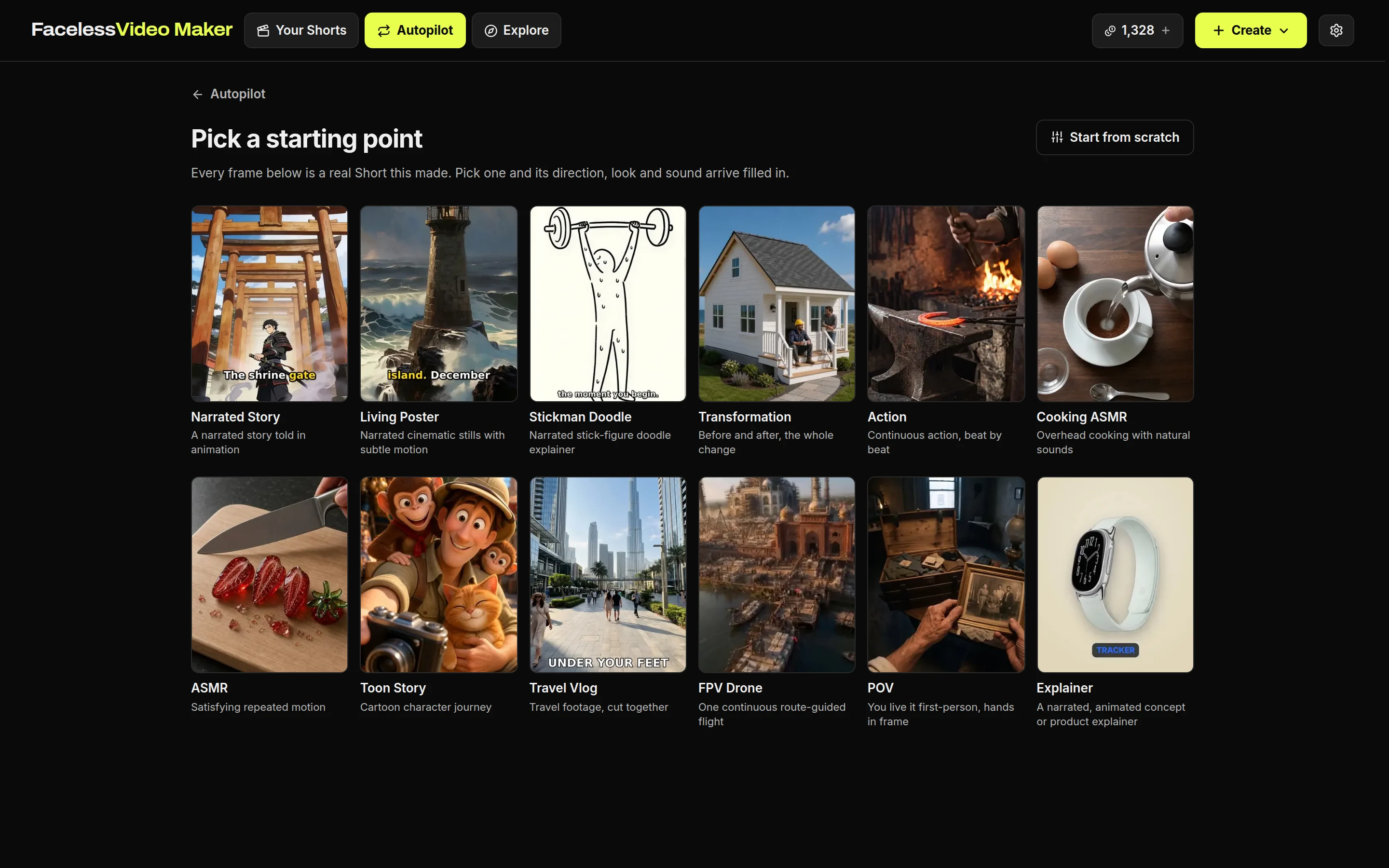
Pick a starting point: a grid of formats, each shown with a real Short, and Start from scratch at the topPick a starting point: a grid of formats, each shown with a real Short, and Start from scratch at the top
  • Use thisEvery new idea is a variation on the video you chose.
  • A topicA new idea is made up within that topic each time.
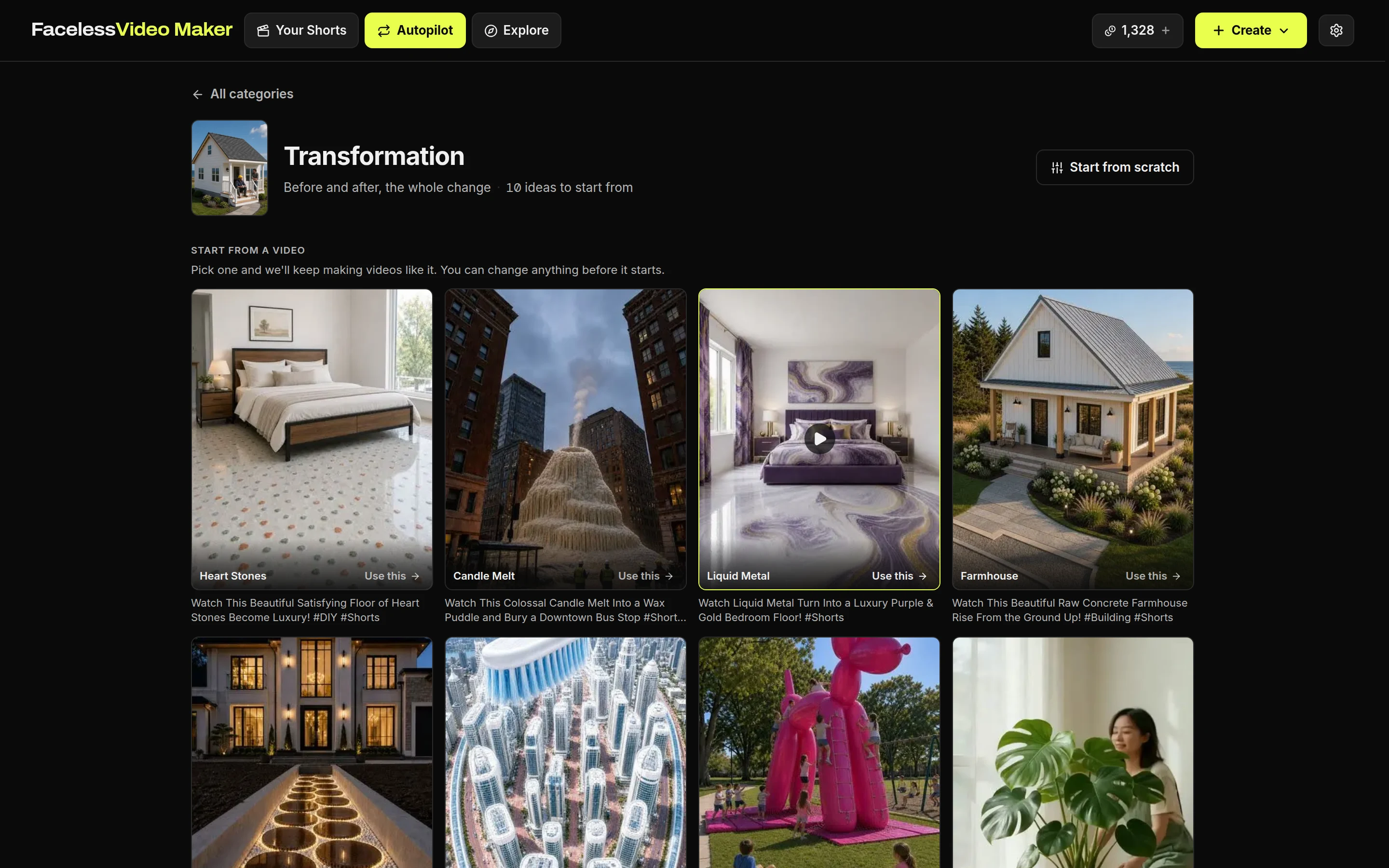
The Transformation category: example videos with Use this buttons, and a row of topic ideas belowThe Transformation category: example videos with Use this buttons, and a row of topic ideas below
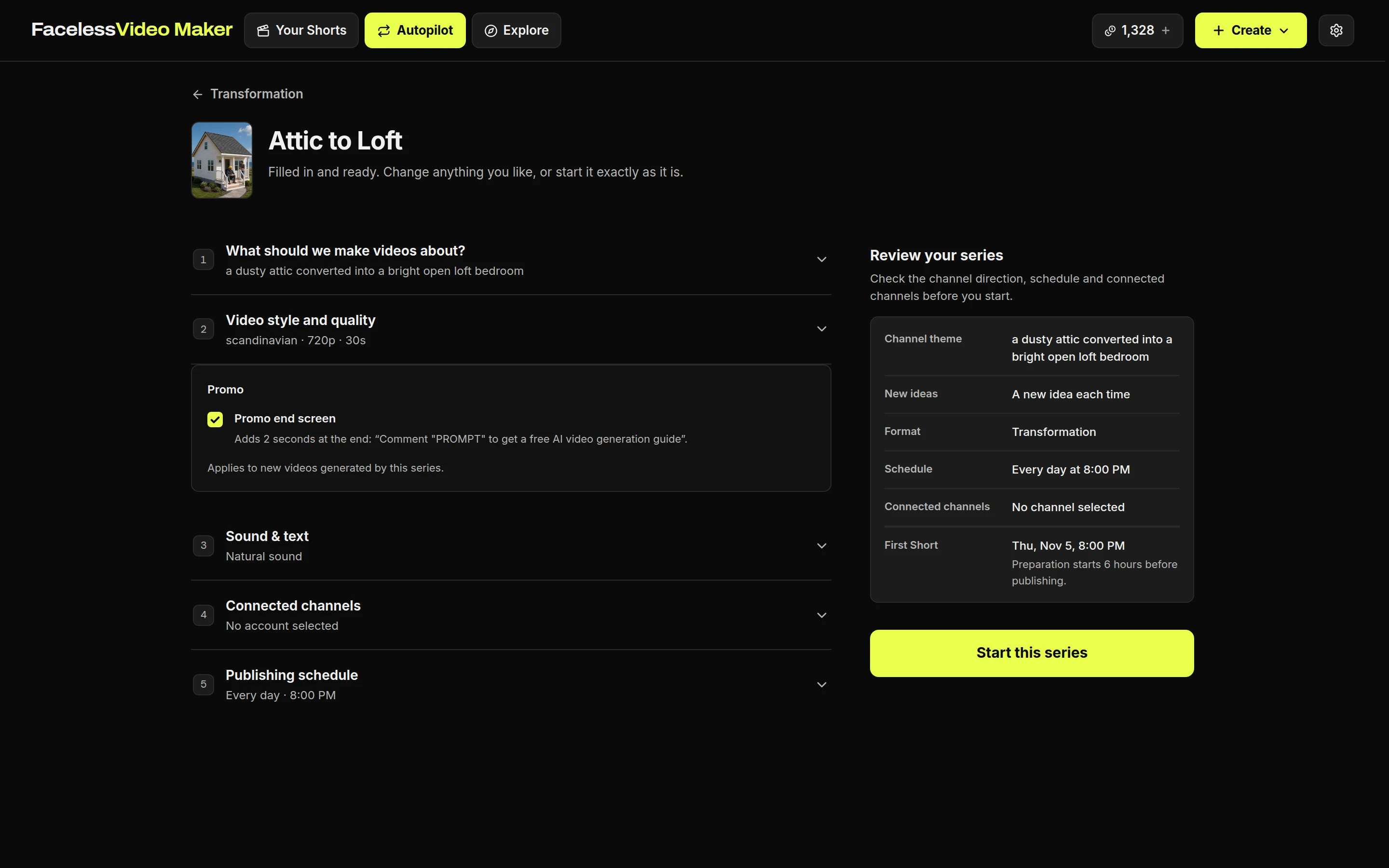
The series form for Attic to Loft with five sections: what to make videos about, video style and quality, sound and text, connected channels and publishing schedule, beside a Review your series summaryThe series form for Attic to Loft with five sections: what to make videos about, video style and quality, sound and text, connected channels and publishing schedule, beside a Review your series summary
Five sections, with a summary beside them. Choose the channels, then the days and times. You can post up to eight times a day, in your own timezone.

Review ideas, pause or stop

  • Edit ideaRewrite it, or ask for a different idea. This is free.
  • SkipNo video at that time. This is free.
  • PauseFinished videos wait instead of posting.
  • StopEnds the series. Planned videos are cancelled. Videos already made stay in Your Shorts.
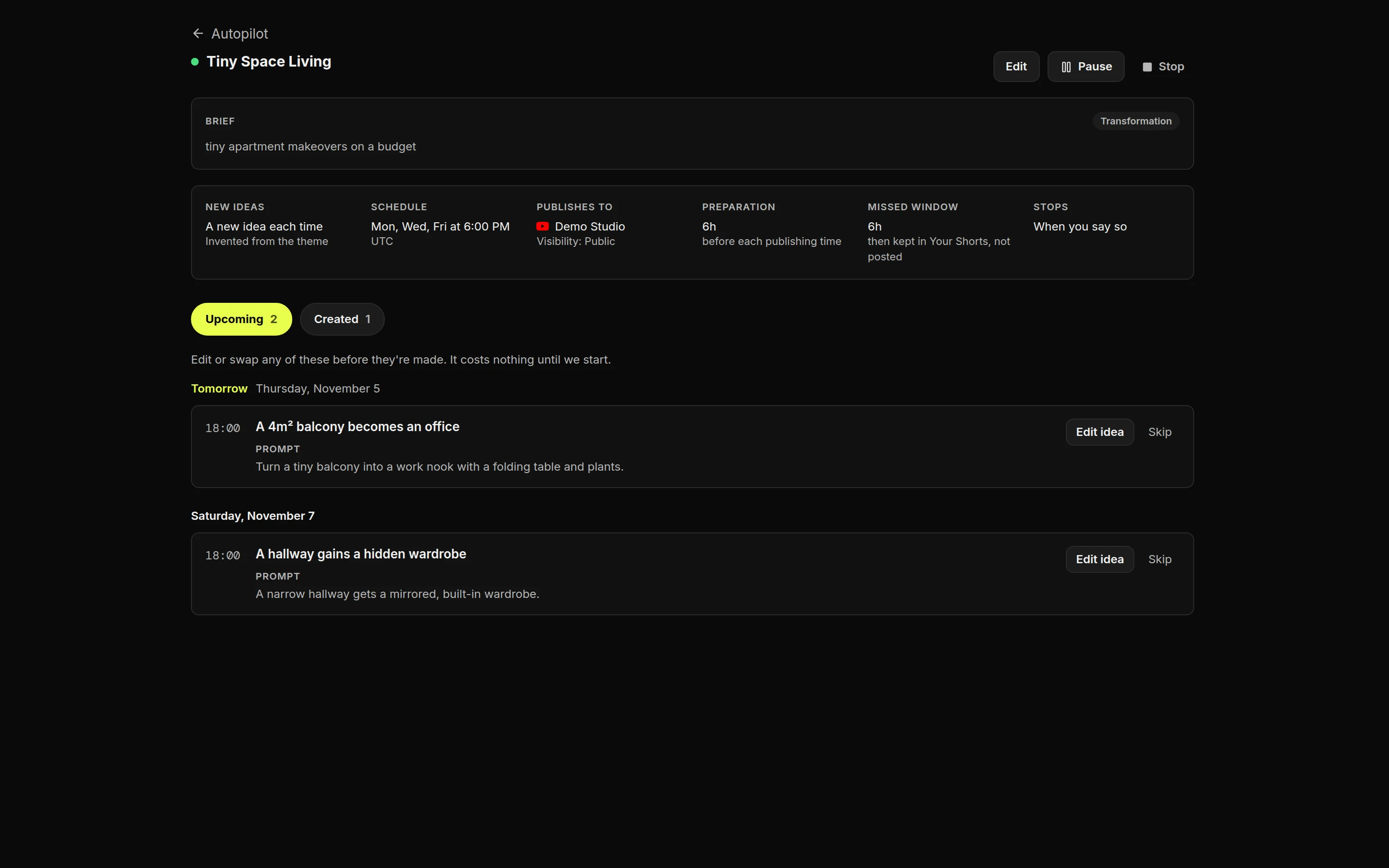
The Tiny Space Living series page: its brief and schedule, then upcoming ideas for Thursday and Saturday with Edit idea and Skip, and Pause and Stop at the topThe Tiny Space Living series page: its brief and schedule, then upcoming ideas for Thursday and Saturday with Edit idea and Skip, and Pause and Stop at the top

When credits are used

Each Short costs the same as one you make yourself. Credits are used when it starts being made, and they come back if it fails.