Skip to content

2 min read

Credits and what things cost

See when credits are used, when they come back, and how to buy more.

FacelessVideoMaker runs on prepaid credits. Your balance is in the top bar. Press it to open Billing.

Read your balance

  • Available balanceEverything you can spend now.
  • Plan creditsCome with your plan. Unused ones expire when it renews, so they are spent first.
  • Top-up creditsBought separately. They do not expire while your account is open.
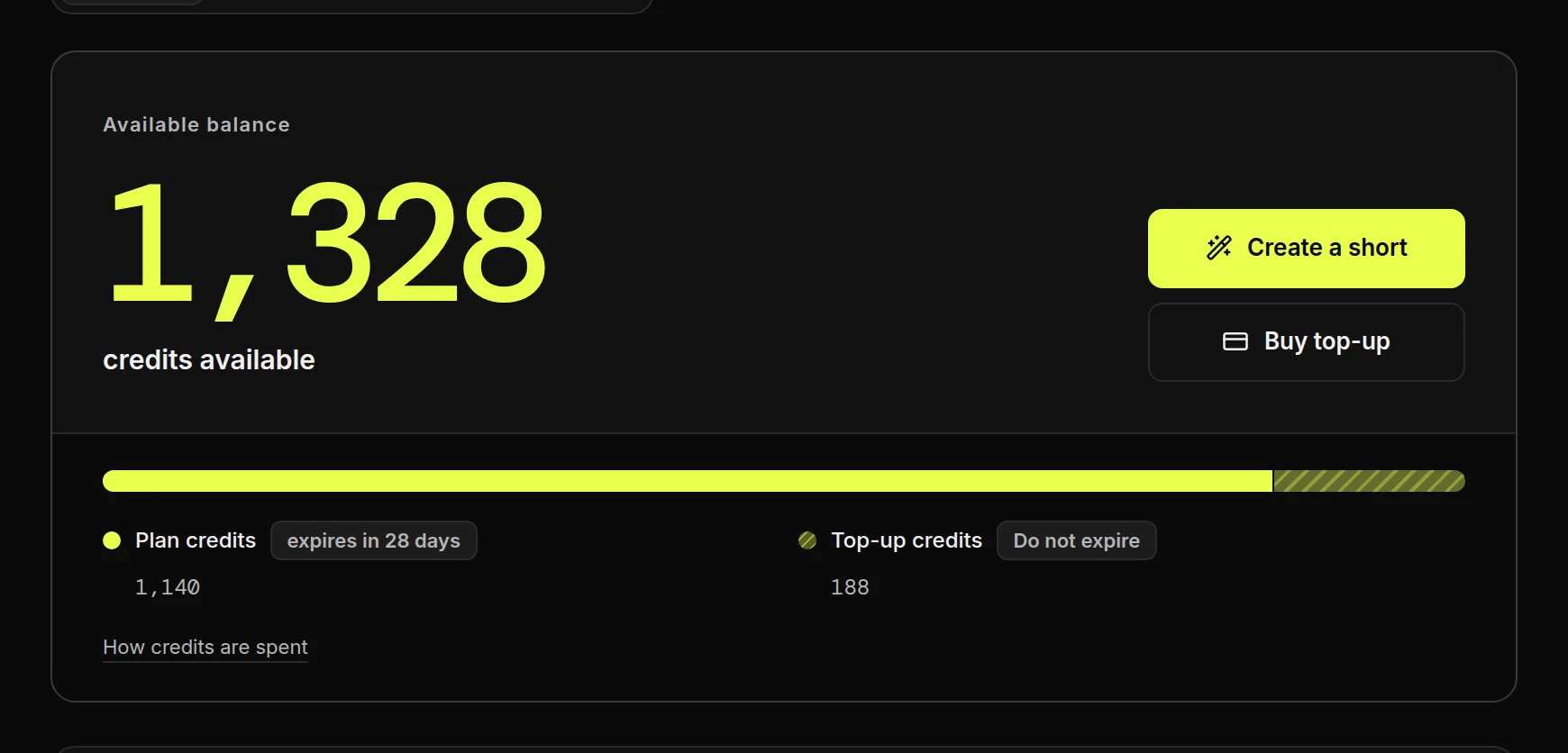
The Billing balance: 1,328 credits available, split into 1,140 plan credits that expire in 28 days and 188 top-up credits that do not expireThe Billing balance: 1,328 credits available, split into 1,140 plan credits that expire in 28 days and 188 top-up credits that do not expire

Choose a plan

  • Monthly or AnnualAn annual plan adds the whole year's credits at once.
  • UpgradeEach plan shows its credits and its price per month.
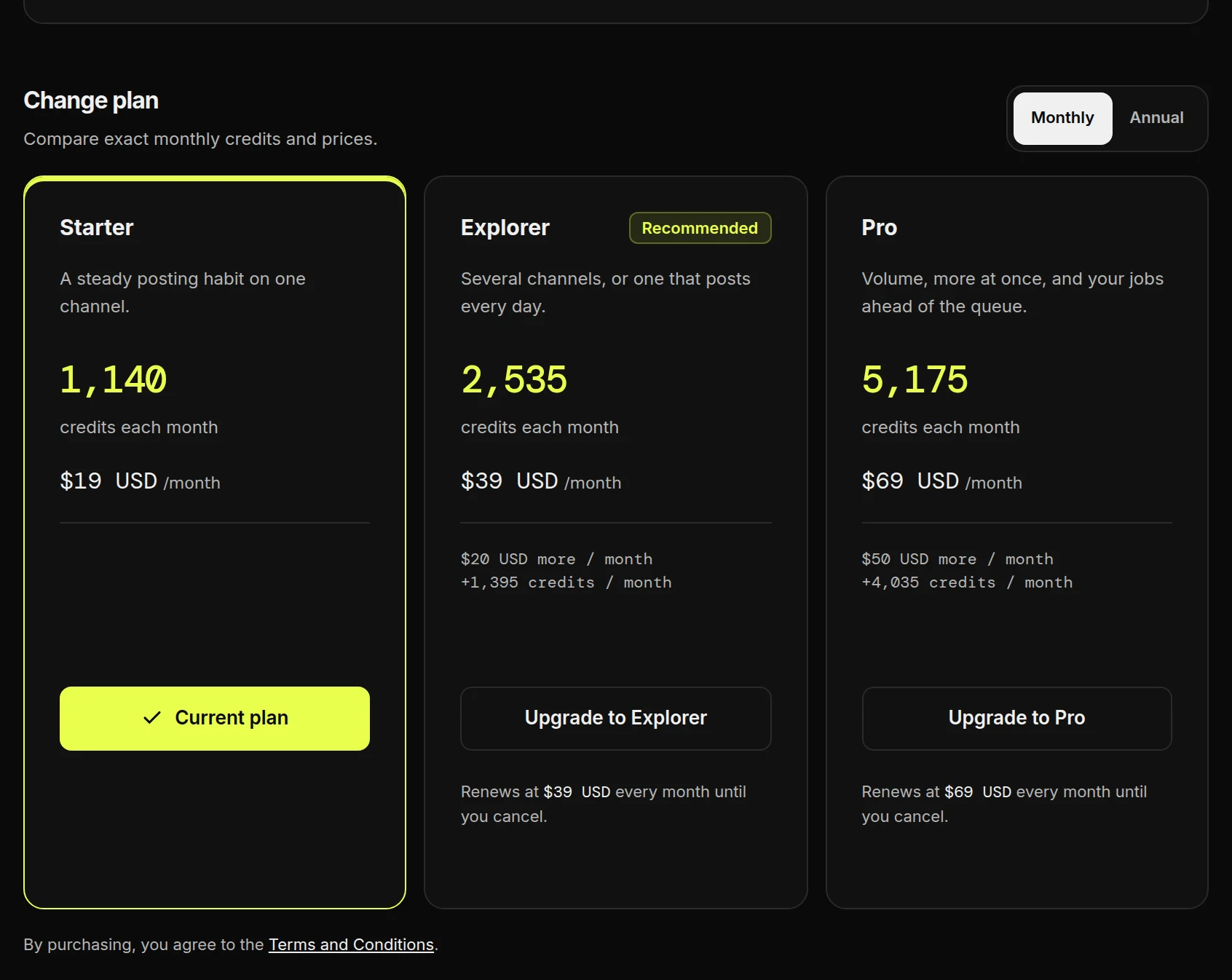
Change plan: a Monthly or Annual switch above the Starter, Explorer and Pro plans with credits and price per monthChange plan: a Monthly or Annual switch above the Starter, Explorer and Pro plans with credits and price per month
Compare plans on the pricing pageEvery plan and top-up, with real prices for example Shorts.

When credits are used

  1. Check the estimate before you createIt is the exact price for these settings, and it is what you pay. The pricing page shows what other formats cost.

The bottom bar of the review step: the estimated cost in credits, how many Shorts like this your balance covers, and Create ShortThe bottom bar of the review step: the estimated cost in credits, how many Shorts like this your balance covers, and Create Short
ChargedYou press Create Short. The credits leave your balance now.
SpentThe Short was made. Nothing more is taken.
ReturnedIt failed, or you cancelled it. The credits come back on their own.

Buy more credits

  1. Choose a pack, then press Buy top-upYou pay on Stripe, and the credits arrive within seconds. A top-up cannot be cancelled once it is paid.
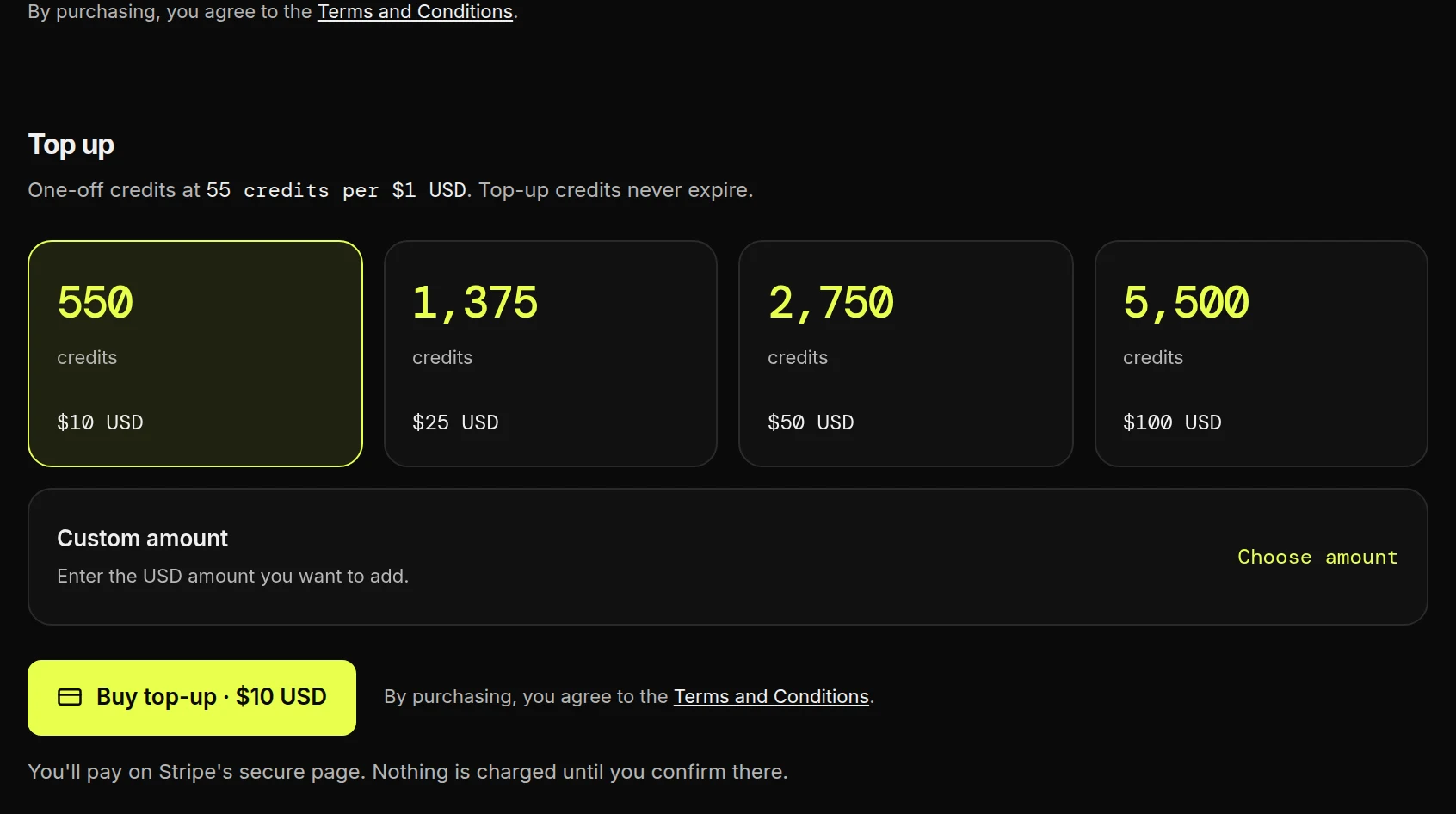
The Top up section: credit packs, a custom amount and the Buy top-up button with its priceThe Top up section: credit packs, a custom amount and the Buy top-up button with its price

How refunds work

We do not refund plans, unused credits or closed accounts. A duplicate or unauthorised charge is refunded in full. Credits for a failed Short always come back on their own. Section 5 of the terms has the details.

Read your billing history
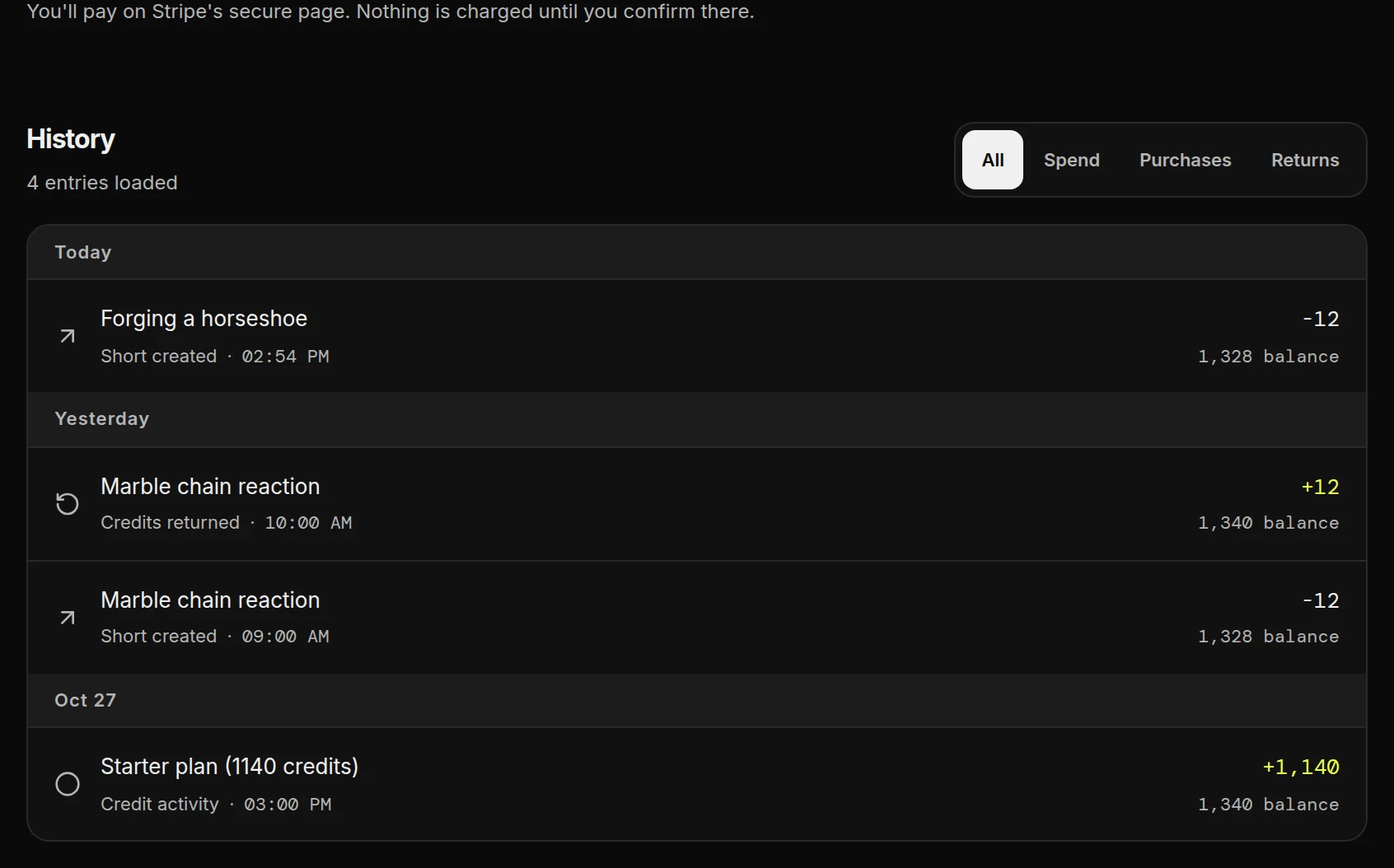
Billing history grouped by day: a Short created for minus 12, a failed Short's credits returned for plus 12 beside its minus 12, and a Starter plan grant of 1,140Billing history grouped by day: a Short created for minus 12, a failed Short's credits returned for plus 12 beside its minus 12, and a Starter plan grant of 1,140
Newest first, with your balance after each line. A failed Short shows two lines that cancel out.

If your balance does not load

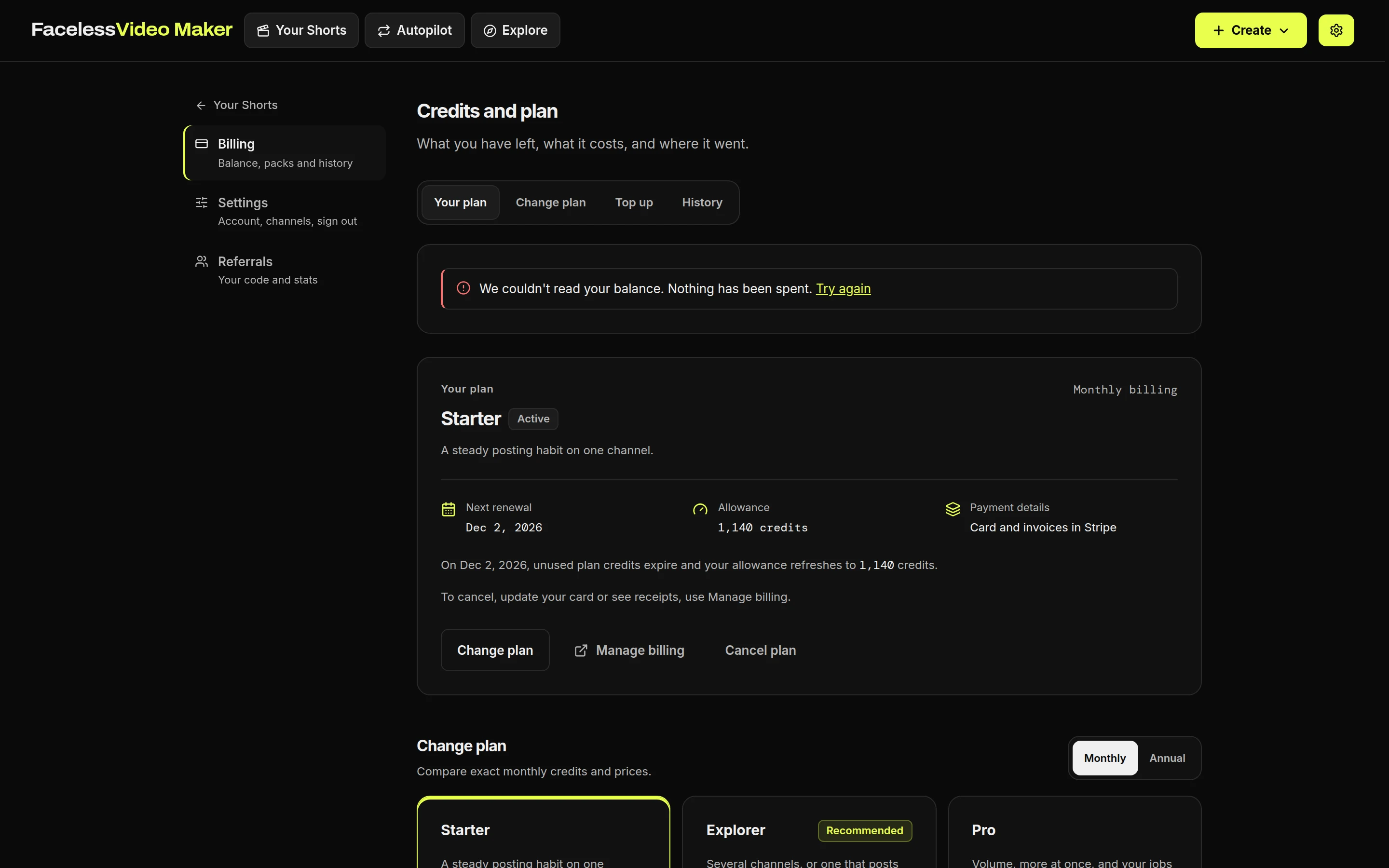
The Billing page showing the message We couldn't read your balance. Nothing has been spent. Try againThe Billing page showing the message We couldn't read your balance. Nothing has been spent. Try again
This message only means the balance could not be loaded. Nothing has been spent. Press Try again.