Channel ideas · 5 min read
How to Start a “Why It Sucks to Be” Channel on YouTube
Start a faceless narrated facts channel: a real 54-second oil rig video, the exact prompts behind it and two animal versions, and a series plan.
By Faceless Video Maker editorial team5 min read

On this page
“Why it sucks to be an oil rig worker.” A narrator walks you through one hard day, in your own shoes, scene by scene. Below: the real video, the exact prompts behind it, and every step to a channel that posts on a schedule.
Watch a “Why it sucks” Short
One brutal day, told in 54 seconds:
 01 2s alarm
 02 9s cold
 03 17s drill
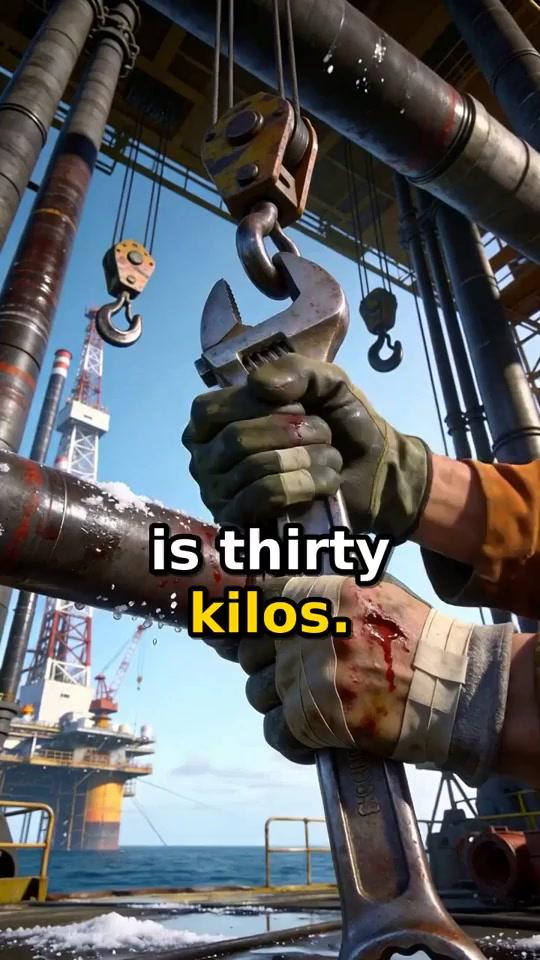 04 25s wrench
 05 33s storm
 06 52s bunk
Pick what your channel makes
The title format stays the same. What changes is whose life it is:
 Animals
 Insects
A third angle is hard jobs, like the oil rig above. You can mix all three if every video keeps the same title and voice.
Set up the channel
Then connect the channel once, so you can post from the app.
The prompt
This is the exact prompt behind the oil rig video:
Make it in Faceless Video Maker
Create, pick Narrated Story, choose 45 to 60 seconds and Narration, paste the prompt, then Create Short. A failed video returns your credits.
The recording shows the Transformation format. The steps are the same for every format.
Check it before posting
The narrator states numbers as facts. In the example, look each one up before posting:
01 Check: minus eight?02 Check: thirty kilos?03 Check: twelve hours?AI narration can state a wrong fact with total confidence, so check before you post. The brief guide has more fixes.
Turn one video into a series
The penguin and bee videos came from the same short template. Only the subject and its hardships change:
See the bee prompt
Twelve lives to start with
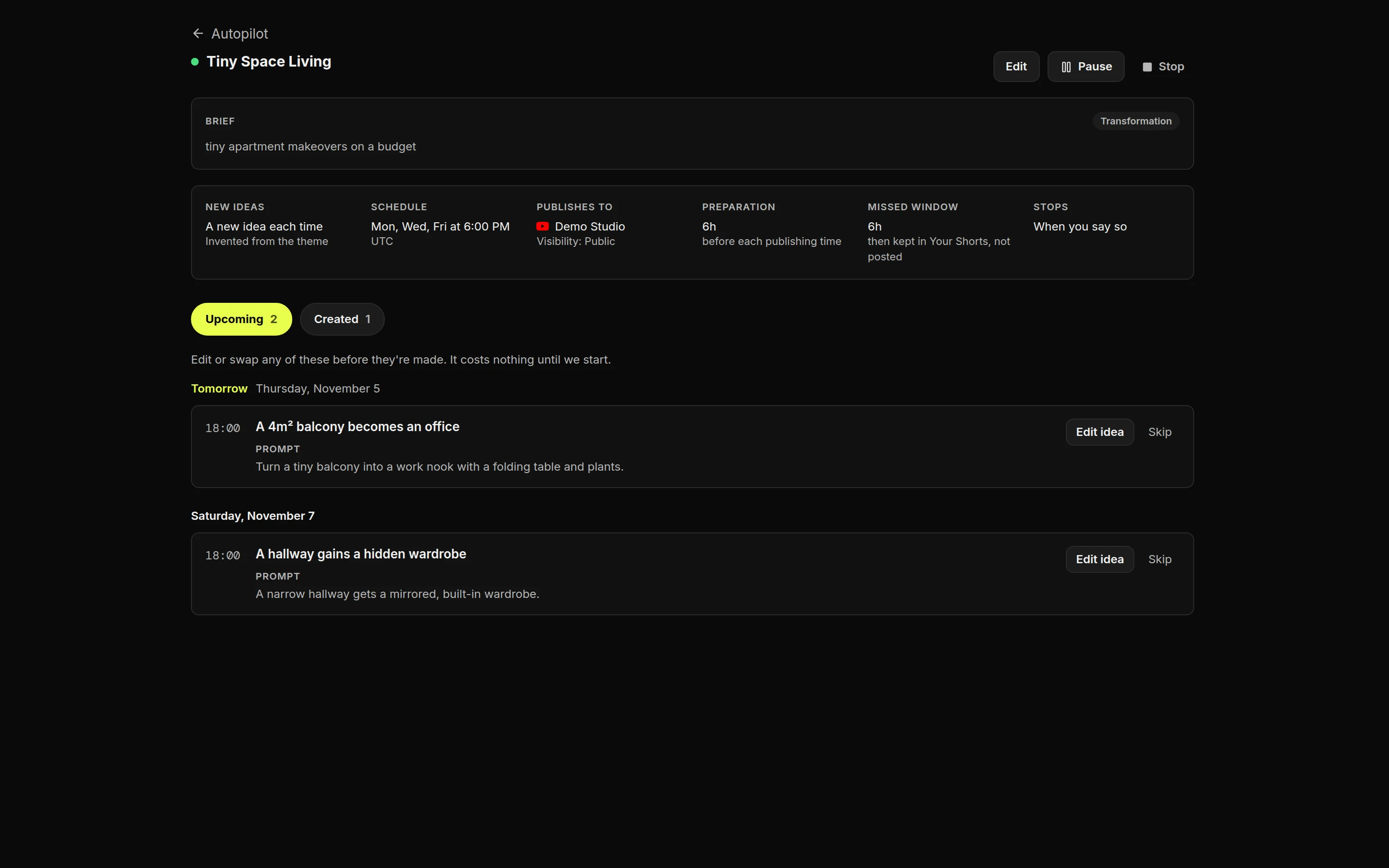
Let Autopilot keep the schedule
Title and cover
Read the numbers
After about ten videos, open YouTube Studio, then Analytics, Content and Shorts, and compare them:
Monetization and YouTube’s rules
Rules change, so check YouTube’s pages before you post. This isn’t legal advice.
Make your own
Press Make this video on the penguin prompt and swap in your own animal, or start in the AI video generator. For daily posting, see faceless YouTube Shorts and YouTube automation.
FAQ
Frequently Asked Questions
Do I need to use my own voice?
No. Choose Narration in Faceless Video Maker and the video comes with an AI voice and captions.
Are these the exact prompts behind the videos?
Yes. The oil rig, penguin and bee prompts are the ones that made the videos shown. Results change every time, so check each video before you post it.
How do I keep the facts right?
Check every number and claim the narrator says before you post. AI narration can state a wrong fact with confidence.
Do I have to label these videos as AI?
Realistic scenes, like the oil rig, should be labelled with YouTube's altered or synthetic content setting. Clearly illustrated ones, like the penguin, are exempt.
How long should these Shorts be?
45 to 60 seconds fits one full day or one full life. If people leave in the middle, try a shorter length.
About the author
Faceless Video Maker editorial team
We write practical guides to making and sharing AI videos, using examples from the product and creators we follow. Have a question about this article? Email us.